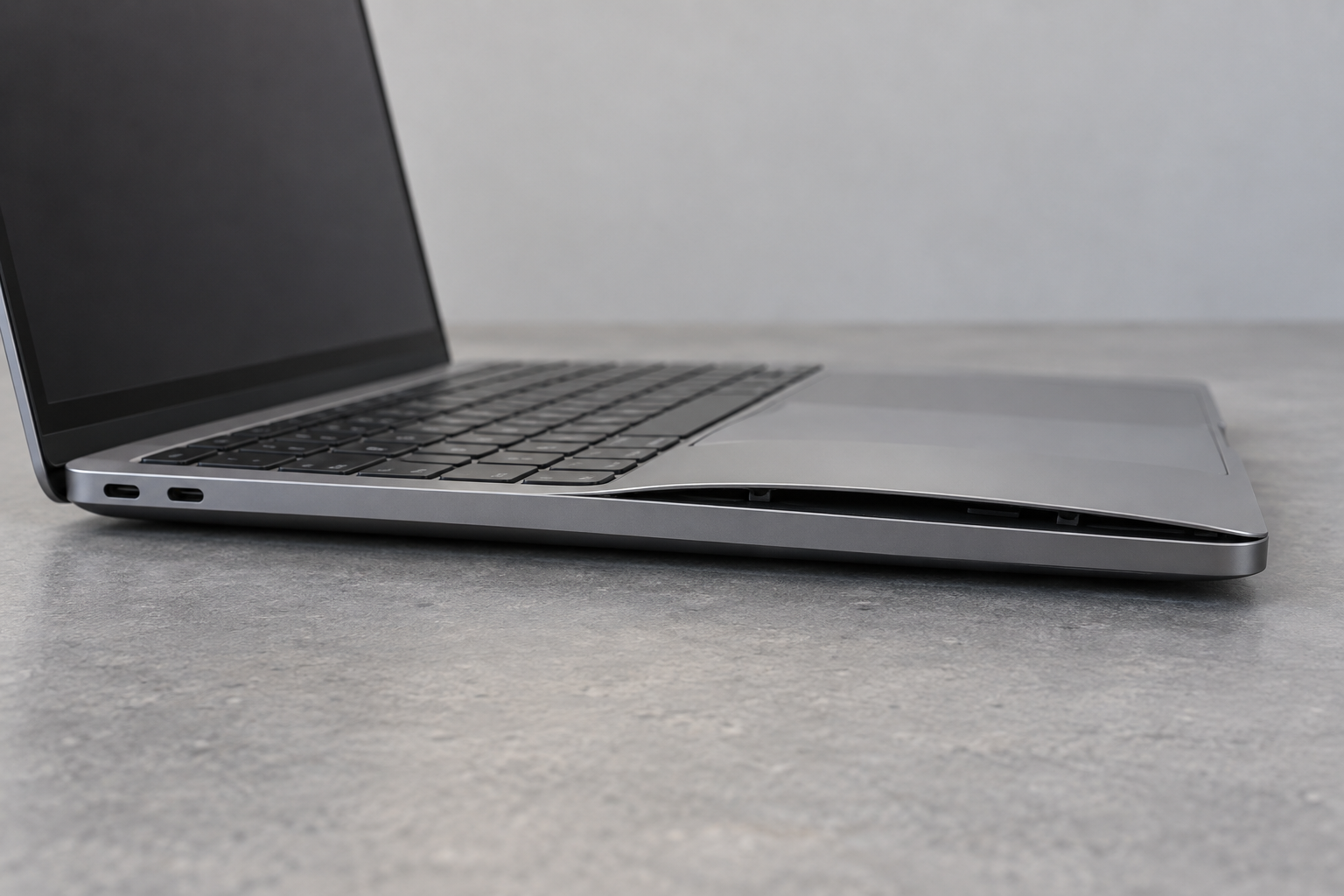
A lifting trackpad, separating case, bulging back cover, or newly distorted device can indicate a swollen battery. Do not press the case flat or keep charging to see whether the shape changes. Stop using the device and arrange guidance from the manufacturer or an authorized service provider. You do not need to open the case to prove that something is wrong before seeking help.
Recognize an immediate emergency
If the device is hot, hissing, smoking, sparking, or burning, do not touch or transport it. Leave the area and call 911 from a safe location. Keep others away and do not re-enter to retrieve the device. Fire-service guidance treats these signs as a reason to prioritize evacuation rather than a home repair or an attempt to move the battery outdoors.
For suspected swelling without those immediate signs, stop charging. Disconnect power only if it is safe to do so without touching damaged or hot parts. Do not continue operating the computer to finish a backup or deliberately drain its battery while waiting for advice. Give the service provider the device model and describe the visible change.
Avoid adding mechanical damage
Do not squeeze, puncture, bend, or pry the battery. Do not try to release pressure from it. A case held apart by swelling is not a cosmetic problem to solve with tape, clamps, or tighter screws. Avoid removing a glued-in battery or forcing a swollen pack out of its compartment.
Microsoft's repair safety guidance says to stop when battery damage is discovered, and the U.S. Fire Administration directs battery-pack repairs to qualified facilities. Those boundaries matter even if an online teardown makes removal look straightforward. The condition of a damaged battery changes the task.
Leave the device alone while obtaining instructions for its specific condition. Ask the service provider where it can be kept safely, how it should be handed over, and whether they accept damaged batteries. Do not place it in a sealed improvised container, mail it in ordinary packaging, or carry it to a collection bin without first confirming the required handling route.
Arrange the right destination
The EPA says lithium-ion batteries and devices containing them do not belong in household trash or municipal recycling bins. It also advises contacting the manufacturer for handling information when a battery is damaged. A collection program that accepts ordinary used batteries may have different rules for swollen or damaged ones.
Explain the condition before traveling to a service or collection location. Ask about transport instructions and packaging appropriate to the specific device. Do not remove an embedded battery simply because a recycling page describes separating user-removable batteries from other electronics.
Keep purchase details and photographs only if you can obtain them without handling the suspect device. Warranty discussions and data recovery can follow the immediate handling decision. When the manufacturer proposes service, ask what will happen to stored data and whether any recovery is possible. The important first step is ending use and preventing additional damage, not extracting one last session from a distorted device.